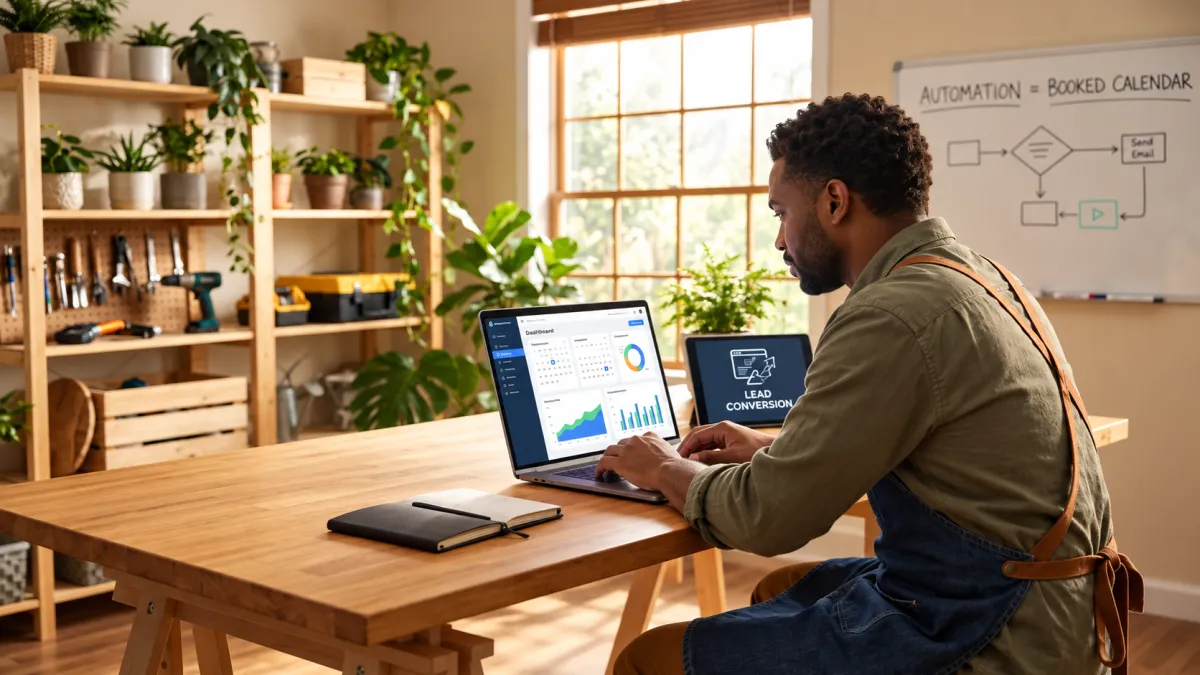
AI Marketing Automation for Service Businesses: How a Home Services Company Filled Its Calendar Without a Marketing Team
Picture this: your phone rings while you are elbow-deep in a job, and by the time you call back, the customer has already booked someone else. Sound familiar?
For most small home service businesses, that is not a bad day. That is just Tuesday.
The truth is, you are probably not losing jobs because you lack leads. You are losing them because following up quickly and consistently is nearly impossible when you are also the one doing the work. This is exactly where marketing automation for small business owners is changing the game, and it is more accessible than you might think.
In this post, we are going to walk through a real-world scenario following a home services company that was drowning in missed calls, scattered notes, and no-shows. Then we will show exactly how they plugged in a single automated system and filled their calendar without hiring a single extra person. You will see how the pieces fit together, what the numbers looked like after 90 days, and how you could do the same thing starting this week.
A Day in the Life Before Automation
Picture a small residential HVAC and plumbing company: two technicians, one part-time office assistant working mornings only, and a steady stream of inbound inquiries from Google Ads and a Google Business Profile. The leads are coming in. That part is working. What happens next is where the business bleeds.
Here is a typical day. A website form submission arrives at 11 p.m. on a Tuesday. Nobody sees it until the assistant logs in at 9 a.m. Wednesday. At 10 a.m., a homeowner calls about a broken AC unit, but the owner is under a sink and the call rolls to voicemail. By noon, a Google Business Profile message is sitting unread. When the assistant finally works through the queue that afternoon, she calls the overnight form lead first. Voicemail. She texts the owner about the GBP message. He is on a job. By 3 p.m., all three prospects have had a 4-to-8-hour wait for any response at all, and research confirms that responding within 60 seconds improves conversions by up to 391%. At least one of them has already booked a competitor.
This scenario plays out repeatedly. A significant share of inbound leads never receive a timely follow-up. Scheduling runs on a shared paper calendar and text threads between the owner and his techs, creating frequent double-bookings and last-minute scrambles. Without consistent nurturing, 79% of leads fail to convert, and the manual process almost guarantees inconsistency.
The emotional toll is real. The owner spends his days splitting attention between field work, return calls, estimate follow-ups, and trying to mentally reconstruct which leads from last week were ever contacted. A clear marketing strategy for your small business starts with a system, and this business has none connecting its pieces.
The problem is not lead generation. The ads are running and the phone is ringing. The problem is conversion loss, every inquiry that arrives faster than the team can respond.
The Window Between a Lead Arriving and a Booking Confirmed
The revenue cost of that chaos comes down to one variable: timing.
Home services is unlike almost any other market when it comes to urgency. A homeowner with a burst pipe at 7 a.m. is not opening three browser tabs to compare quotes. Neither is the family sweating through a July evening with a broken AC unit. They call one company, maybe two, and they book whoever responds first. Research confirms that 97% of homeowners say response speed directly influences who they hire, and businesses that respond within five minutes are dramatically more likely to win the job than those that call back an hour later.
That window, the minutes between a lead arriving and an appointment being confirmed, is where most small service businesses silently lose revenue they already paid to generate through ads, referrals, and local SEO.
Here is the problem with relying on manual processes: the average business response time across industries sits at roughly 47 hours. A dedicated office manager helps, but even the best one cannot simultaneously answer a phone call, reply to a Google Business Profile message, respond to a web form submission, and follow up on yesterday's voicemails, all while handling a walk-in and the technician texting from the field. And nobody is doing any of that at 9 p.m. on a Sunday.
This is the thesis the rest of this piece is built on: that gap is entirely closable. Businesses exploring AI marketing for small businesses and how to reduce tool chaos are finding that small business automation is not a luxury reserved for companies with marketing departments. It is a practical, affordable fix to a problem that is already costing small operators real money every single week.
How the Automation System Was Structured
So the fix wasn't adding a better tool to the pile. It was replacing the pile entirely.
Before the switch, this business was running on five separate systems that never talked to each other: a scheduling app, a Gmail inbox, a spreadsheet standing in as a CRM, a manual texting habit, and a call-forwarding setup that mostly sent callers to voicemail. Each piece worked in isolation. None of them worked together. Juggling disconnected tools creates hidden costs that compound fast.
The decision was to replace all five with one connected system handling lead capture, follow-up, scheduling, and tracking in a single environment.
Here is what made the difference: not any single feature, but the connections between features. A lead submits a form at midnight. The system immediately sends an acknowledgment, queues a follow-up for the next morning, and holds a booking link ready. By the time the owner wakes up, that lead may already be a confirmed appointment on the calendar, with no one touching it manually.
Each component of the system is introduced in the sections ahead by the problem it replaced, not by its technical name, because the friction point is what any service business owner will recognize first.
AI Receptionist and Missed-Call Text-Back
The first friction point the system tackled was the missed call, and the fix was immediate.
When a call goes unanswered, the system fires off a personalized SMS to that caller within seconds. Not minutes. The message acknowledges the missed call by name, tells the customer the team will be in touch shortly, and drops a direct link to book an appointment or keep the conversation going via text. The lead stays warm instead of walking straight to a competitor. Given that 85% of unanswered callers never call back, according to Forbes and BIA Kelsey research, that automated text is often the difference between a booked job and a lost one.
The after-hours layer goes further. A full AI receptionist handles calls and messages that come in outside business hours, which matters more than most owners expect. Roughly 73% of home services calls come in outside the standard 9-to-5 window, according to NextPhone. The AI receptionist answers common questions about service areas, rough pricing ranges, and availability, qualifies the lead, and captures contact details without any human involvement. Nobody has to stay late or check their phone at 11 p.m.
It is worth being clear about what an AI receptionist actually is, because there is real confusion here. A basic chatbot follows a fixed script. Ask it something outside its decision tree and it breaks. An AI receptionist holds a natural back-and-forth conversation, adapts to what the customer actually asks, and when a human needs to take over, it hands off a clean summary of the interaction so nothing gets repeated or lost.
Given that 85% of unanswered callers never call back, the baseline for voicemail-only handling was poor. With immediate text engagement replacing that voicemail, significantly more of those conversations stayed active and converted to a booking link click or a confirmed appointment.
For the owner, none of this required daily management. The system runs in the background.
Automated Lead Follow-Up Sequences Using SMS and Email
The missed-call text-back handles inbound calls, but leads arrive from more than just the phone. The same automated logic extends to every other channel the business operates.
The moment a new inquiry lands, whether from a website contact form, a Google Business Profile message, a paid ad landing page, or a social media DM, the system fires a response within 60 seconds. That first SMS acknowledges the specific service the customer asked about, not a generic "thanks for reaching out." Within five minutes, a follow-up email delivers a brief service overview and a direct booking link. If no appointment is confirmed by the next morning, a second SMS goes out. If there is still no response by day three, one final message goes out before the lead is marked inactive and removed from the active follow-up queue.
Before this system was in place, the owner or the part-time assistant would try one phone call, leave a voicemail, and move on. A second attempt rarely happened. Leads that arrived overnight or over the weekend frequently went cold before anyone had a chance to follow up at all.
A common concern from home service owners is that automated sequences will feel cold or generic. These do not. Every message is written in the business's own voice, references the exact service the prospect inquired about, and comes from a real phone number the owner controls. Customers are not texting a shortcode; they are texting a number they can call back. That detail matters.
The bigger takeaway about automated email workflows and SMS sequences is this: no single message converts a lead. What converts a lead is consistent, timely contact across multiple touchpoints. The sequence does the showing up; the business does the work.
Online Booking and Calendar Integration
Once a lead responds to one of those follow-up messages, the next friction point is getting them onto the calendar. Before automation, that meant a phone tag loop: the customer calls back, no one answers, they leave a voicemail, someone calls them back the next morning, and the window has already closed.
The fix was simple in concept: every SMS, every email, and every page of the website carried a self-serve booking link. A customer could confirm an appointment at 11 p.m. on a Tuesday without waiting for anyone to pick up the phone.
The calendar integration did more than add convenience. The old paper calendar created a constant risk of double-booking two technicians onto overlapping jobs, especially when the owner and assistant were updating it from different places. The automated system reads technician availability in real time and blocks a time slot the moment an appointment is confirmed. No more "wait, I already have Marcus on a job that morning" conversations.
The reminder sequence that fires after booking removes another manual task entirely. A confirmation message goes out immediately when the customer books. A second reminder follows 24 hours before the appointment. A third goes out one hour before the technician arrives. All three are sent automatically, with no staff action required.
That sequence directly cuts no-shows. When a customer receives three touchpoints before an appointment, the job stays on their radar. When a cancellation does come in, the open slot is visible immediately, and a standby booking can fill it the same day rather than sitting empty.
The downstream benefit to the technicians is just as real. Instead of texting the office each morning to confirm their first job, every technician starts the day with a clear, confirmed schedule already on their phone. That alone reduced back-and-forth communication between the field and the office significantly.
CRM Automation and Job Status Tracking
With the calendar now filling automatically, the next gap to close was visibility into what was actually happening across the business's leads, not just its appointments.
The old system was a spreadsheet, updated manually when someone remembered to do it. Leads lived in Gmail, estimates were texted from a personal phone, and job completions existed only in the technician's memory. Nobody had a complete picture.
The replacement was a pipeline with defined stages: new inquiry, contacted, estimate sent, appointment booked, job completed, and review requested. Every lead moves through those stages automatically or with a single click, and every stage transition can trigger an action.
The most valuable trigger is the one that runs after a job is marked complete. The system waits 24 hours, then sends a personalized SMS and email asking the customer to leave a Google review. No one on the team has to remember to ask. Google reviews accumulated steadily, directly improving local search visibility, a benefit that compounds over time.
The owner's morning routine changed just as significantly. Instead of mentally reconstructing who had been called and who had not, the dashboard shows the full pipeline at a glance: where every lead stands, what appointments are coming up, and which contacts have gone quiet and need a nudge.
For the first time, the business also had clean attribution data. It could see exactly which lead sources, Google ads, the website contact form, the Google Business Profile, were converting to booked jobs, not just generating clicks. That made advertising decisions straightforward rather than guesswork.
This is the piece of small business automation that most owners overlook when evaluating a marketing funnel: the goal is not just to save a few minutes on individual tasks. It is to create the organizational visibility that lets a two-person operation run with the clarity of a much larger one.
Getting the System Live Without Disrupting Operations
All that new dashboard visibility raises a fair question: how hard was it to actually get here?
This is where a lot of owners hesitate. The fear is not the monthly cost. It is the mental image of weeks of technical setup, migrating data out of spreadsheets, reconfiguring phone systems, and retraining staff on software nobody asked for. That concern is legitimate, and it is also the reason many home service businesses stay stuck with manual processes longer than they should.
The actual timeline looked like this. Week one covered initial setup and system configuration. Week two was message sequence customization and calendar integration. Week three was a live testing period with real inquiries routed through the system. By the end of week four, the business was in full operation. If that timeline sounds manageable, that is because it reflects what a Your 30-Day Rollout (ship fast, polish later) actually looks like when a vendor handles the build.
The owner did not configure anything alone. An onboarding team built the sequences, connected the integrations, and walked the owner through the dashboard in a single session. The owner's job was to review and approve, not to build.
That review step mattered more than any technical detail. The owner's real concern was not whether the system would work. It was whether automated messages would sound like the business, or like a corporate script that would confuse customers who had been calling the same number for years. Every message was written, reviewed, and approved before it ever reached a real contact. Nothing went live until the owner signed off.
And nothing the business already had needed to change. Same phone number. Same service menu. Same pricing. The automation wrapped around the existing operation rather than asking the business to reorganize itself around a new tool.
What the Numbers Looked Like After 90 Days
Once the system was live, the results came in quickly enough that the owner started tracking them week by week.
Response time was the first thing that changed. Before automation, first response often stretched to several hours or more, consistent with the industry-wide average of 47 hours documented across service businesses. After go-live, every inbound inquiry received an automated SMS acknowledgment within seconds. That speed matters more than it sounds: in home services, the first business to respond usually gets the booking. Competitors returning calls two hours later were already too late.
Lead-to-booking conversion followed. The combination of faster response, a consistent multi-touch follow-up sequence, and a frictionless self-serve booking link improved noticeably, a predictable outcome when a business closes the 47-hour average response gap documented across the industry.
Calendar density shifted noticeably by day 60. The weekly schedule went from reactive and patchy to consistently filled, with a two-week forward view the owner had never had before. That visibility changed how the whole operation ran: technicians knew their schedules the night before, parts could be ordered in advance, and route planning became deliberate rather than improvised each morning.
The owner recovered meaningful hours previously absorbed by manual callbacks, follow-up attempts, scheduling coordination, and reminder calls. That time went into field work and, for the first time, a structured post-job referral program.
Google reviews accelerated sharply. The automated review request sent after each completed job drove steady accumulation of new Google reviews, with a direct lift in local search visibility.
If This Scenario Looks Familiar, You Are Not Alone
Those results are not unusual. They reflect a pattern playing out across plumbing, HVAC, electrical, cleaning, and landscaping businesses nationwide. That adoption gap documented by the U.S. Census Bureau is most visible in home services, where most operators still manage leads manually.
That is the real barrier. It is not intelligence or interest. It is that most automation platforms assume you have someone whose entire job is managing them. When you are the owner, the estimator, and the technician on the same Tuesday, learning a new software platform is not a priority; surviving the week is.
If you have tried a scheduling app, a separate CRM, and a follow-up tool before and found yourself managing the tools more than your customers, that frustration is valid. Disconnected platforms don't reduce your workload; they redistribute it. An integrated system that handles lead capture, follow-up, scheduling, and tracking inside a single environment is a genuinely different proposition, not just another app to babysit.
The staffing instinct makes sense too. Hiring an office manager or marketing coordinator feels like the straightforward fix. But a full-time hire carries meaningful salary and benefits costs before producing a single additional booking, and a person still can't respond to every inquiry within two minutes at 10 p.m. on a Saturday.
The competitive window is real and it is open right now. Enterprise service companies already run on automated systems. Most of their small local competitors do not. Early adopters in any given market gain the responsiveness edge before the rest of the field catches up, and that gap closes faster than most owners expect.
Frequently Asked Questions About AI Marketing Automation for Service Businesses
If the previous section answered why automation makes sense for businesses like yours, these questions address the practical concerns that tend to surface right after.
Do I need a technical background to use this? No. Modern AI marketing tools for small businesses are built for owners, not developers. You won't touch code. A reputable vendor configures the system for you; you interact with a dashboard that shows leads, appointments, and follow-up activity in plain language.
How long does setup take? For a typical home service business, expect two to four weeks from kickoff to a live, functioning system, covering message customization, calendar integration, and walking your staff through the dashboard. You don't go dark during setup; the rollout wraps around your existing operation.
What's the difference between an AI receptionist and a chatbot? An AI receptionist holds a natural back-and-forth conversation, adapts to what the customer actually asks, and when a human needs to take over, it hands off a clean summary so nothing gets repeated or lost, functioning closer to a trained front-desk employee than a decision tree.
Is this affordable for a small company? AI marketing automation platforms built for small businesses are priced for operators without dedicated marketing staff. When you factor in the bookings recovered from leads that would otherwise go cold, the economics become clear quickly.
Can it replace hiring an office manager? For the tasks that cause the most friction, including lead response, follow-up sequences, and appointment scheduling, automation handles them continuously and without gaps. Where a person genuinely adds value is in relationship management, complex consultations, and judgment calls. The repetitive, time-sensitive work that piles up fastest is exactly what automation is built for.
The Takeaway: One System, One Calendar, No Marketing Team Required
This business stopped losing the leads it was already paying to attract, and the entire shift came from closing the response gap.
If your service business is generating inquiries but your calendar still has gaps, the problem is almost certainly follow-up speed and consistency, not lead volume. The right starting point is mapping your current lead journey from first contact to confirmed booking. Specifically, note where leads are arriving, how long before they receive a response, and how many follow-up touches actually happen before the lead goes cold. Most owners who audit their lead flow find that a large share of incoming leads never receive a timely second contact.
That audit tells you exactly where the system needs to close the loop.
If you are ready to build that kind of connected, AI-powered customer acquisition system without juggling multiple platforms or vendors, De Cruz Consulting works with service businesses to put all of it, lead capture, automated follow-up, scheduling, CRM, and reputation management, into one integrated ecosystem. The goal is simple: every lead you generate should have a real shot at becoming a booked job.
Conclusion
The home services company in this example did not reinvent its business. It closed the gaps that were silently draining its calendar every week.


